


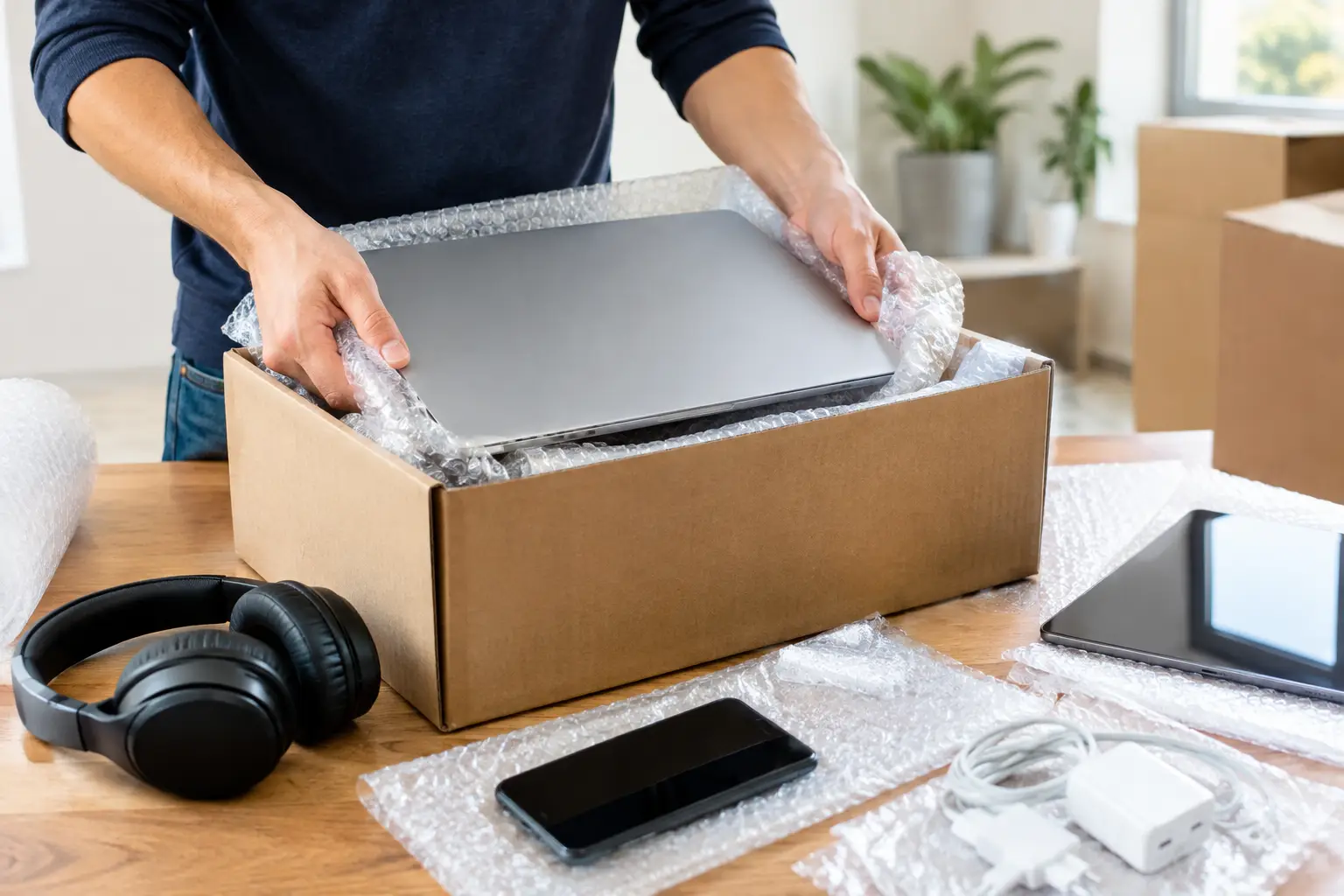
A television can survive years on a wall and still crack during one poorly packed trip across town. The same is true for desktop computers, game consoles, monitors, and printers. Knowing how to protect moving electronics starts with treating them as sensitive equipment, not ordinary household items. The right preparation reduces the risks that cause most damage: impact, pressure, loose internal parts, moisture, heat, and missing cables.
Start Before You Unplug Anything
Electronics are easier to pack when they are organized before moving day. Begin by taking photos of the back of your TV, computer, router, monitor, or entertainment center. A clear photo gives you a reference for reconnecting cables later, especially when several devices use similar ports.
Shut devices down fully rather than relying on sleep mode. Unplug them from the wall and remove batteries from remotes, wireless keyboards, cameras, and other battery-powered accessories when practical. Batteries can leak over time, and loose accessories are easy to lose during packing.
Give electronics time to cool before wrapping them. A device that has just been running may hold heat, particularly computers, gaming systems, printers, and large televisions. Packing a warm device tightly can trap heat and moisture where they do not belong.
For desktop computers and printers, remove anything that can shift or spill. Take out printer paper, ink tanks if the manufacturer recommends it, and any removable trays. Secure scanner lids and paper guides with painter’s tape or another low-tack tape that will not leave adhesive behind. If you are moving a desktop computer a long distance, consider having a qualified technician remove a heavy graphics card or other oversized internal component. That extra step depends on the computer’s design, but it can prevent damage from vibration.
Use the Right Packing Materials for Electronics
Original boxes are the best option when you still have them. They were designed for the exact dimensions and weight of the device, often with molded foam supports that hold it in place. This matters most for TVs, monitors, desktop towers, and audio equipment.
If the original packaging is gone, use a sturdy box that leaves enough room for cushioning without allowing the item to slide. Avoid oversized boxes filled with random loose material. An electronic device needs support on all sides, not just a layer at the bottom.
Wrap screens with a clean foam sheet, moving pad, or specialized screen protector before using bubble wrap around the outside. Never place bubble wrap directly against a delicate screen for an extended period if it could leave marks or trap dirt. Cardboard screen protectors can add another layer of protection for TVs and monitors.
Use anti-static bags for computer parts, hard drives, small electronics, and cables when available. Ordinary plastic bags may protect against dust, but they do not provide the same protection against static electricity. For most household moves, careful padding is the bigger concern, but anti-static packaging is worthwhile for valuable computer components.
Do not use newspaper directly against electronics. Ink can transfer, and paper does little to absorb a hard impact. Packing paper is useful for filling empty space in a box, but it should support the padded item rather than serve as the only protective layer.
Pack Cables, Remotes, and Accessories Separately
Cables cause confusion more often than damage, but a missing power cord can make unpacking frustrating. Coil each cable loosely and secure it with a reusable tie, rubber band, or strip of hook-and-loop fastening material. Tight bends can weaken some cords over time.
Place cables, remotes, mounting hardware, adapters, and manuals in labeled bags. Pack the bags in the same box as the device when space permits. For a television or monitor, tape the labeled accessory bag to the outside of the moving blanket or place it in a clearly marked electronics box. Do not tape anything directly to the screen or finished surface.
How to Protect Moving Electronics During Loading
Good packing can still fail if electronics are loaded carelessly. Boxes containing electronics should be clearly labeled on more than one side. Mark them as “Fragile,” identify the room they belong in, and note which side should stay upright when orientation matters.
Keep electronic boxes upright whenever possible. Televisions and monitors should travel vertically, not flat under other items. A flat-screen TV may look sturdy, but pressure on the panel can cause cracks that are not obvious until it is turned on. Use a TV box or a padded moving crate when available, then position it between stable, soft-sided items such as mattresses or wrapped furniture. It should be secured enough that it cannot tip or shift.
Never stack heavy boxes, furniture, or appliances on top of electronic equipment. Avoid placing a TV or computer near items that may move during transport, including unsecured tools, metal bed frames, or loose drawers. The goal is to create a stable section of the truck where nothing can fall, roll, or press against sensitive equipment.
Large electronics should be carried by at least two people. Hold televisions and monitors from the sides, not the screen. For desktop computers, support the bottom of the case and keep the unit level. If an item feels awkward or too heavy to control safely, it is worth using professional movers rather than risking an injury or a damaged device.
Protect Electronics From Temperature and Moisture
Electronics do not respond well to extreme heat, freezing temperatures, or sudden temperature changes. If you are moving during very hot, cold, humid, or rainy weather, keep sensitive devices out of the truck for as long as possible. A climate-controlled personal vehicle is often the better place for laptops, tablets, external hard drives, cameras, and other small valuables.
Rain protection matters even when boxes are labeled fragile. Wrap boxed electronics in stretch wrap or use plastic covers during loading if conditions are wet. The wrap should protect the outside of the box without sealing in existing moisture. Never pack a damp device or damp moving blanket against an electronic item.
After a cold-weather move, allow electronics to reach room temperature before plugging them in. Condensation can form inside a device when it moves quickly from a cold truck into a warm home or office. Waiting several hours is a sensible precaution for computers, TVs, speakers, and other equipment that spent time in low temperatures.
Lithium-ion batteries deserve extra attention. Do not leave phones, laptops, power banks, or battery-operated tools in direct sun or a hot vehicle for extended periods. If a battery is swollen, damaged, or overheating, do not pack it with your household goods. Follow local guidance for safe battery disposal instead.
Special Considerations for Computers and Data
A damaged computer can be replaced. Lost files may not be. Before the move, back up important documents, photos, business records, and customer information to a secure cloud account or an external drive. Keep the backup drive with you, not in the moving truck.
For office moves, identify essential equipment that employees need immediately after arrival. Label computers by workstation, user, or department, and maintain a simple inventory of monitors, docking stations, phones, and peripherals. This reduces downtime and helps ensure nothing is left behind at the old location.
If a computer contains confidential information, transport it securely and limit who has access to it. A professional move should include clear handling instructions for business assets, particularly servers, network equipment, and devices containing company or client data.
Unpack and Test With Care
Do not rush to power everything on the moment boxes enter the new space. Inspect the outer packaging first. If a box is crushed, wet, or punctured, photograph it before opening and check the item carefully.
Set up large electronics on stable surfaces, reconnect cables using your reference photos, and inspect cords for pinching or damage. Test one device at a time. For a TV, look for screen cracks before mounting it. For a computer, check that all connections are secure and listen for unusual noises when it starts.
If you hired a moving team, point out high-value electronics before loading and before delivery. Clear communication helps movers place those items correctly and gives you a chance to confirm their condition at pickup and drop-off. STC Movers can help customers plan packing and handling around sensitive household and office equipment, especially when timing and careful loading matter.
The best protection is a controlled process: prepare devices early, use materials that prevent movement, load electronics where they cannot be crushed, and give them time to adjust after transport. A few deliberate steps before moving day can make the difference between a smooth setup and an expensive replacement.